Architecture
yake-ansible deploys a multi-layer Kubernetes platform where each layer is managed by the one directly above it. This document describes each layer, its responsibilities, and how the layers interact.
Overview
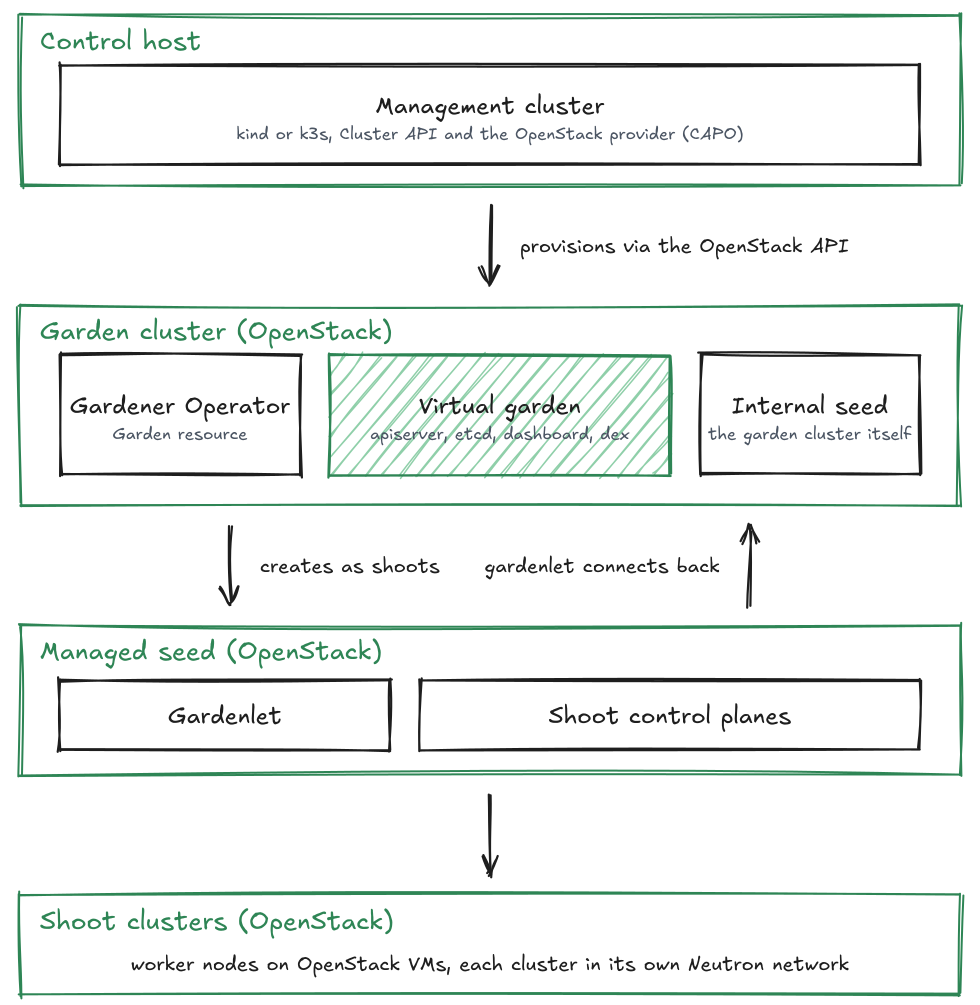
Layers
Control Host
The control host is the machine from which you run the Ansible playbooks. It does not need to be a server; a workstation or CI runner is sufficient. For production, we recommend a dedicated VM on OpenStack (see Getting Started). The following tools are installed locally by yake-ansible and invoked through wrapper scripts in .local/:
yake-kubectlyake-helmyake-clusterctlyake-kind(when using the kind engine)
All state (kubeconfigs, generated manifests, SSH keys) is stored in /var/lib/yake/.
Management Cluster
The management cluster is a lightweight local Kubernetes cluster that runs Cluster API. It is created on the control host using either kind (default) or k3s. Its sole purpose is to host the Cluster API controllers that create and manage the garden cluster on OpenStack.
The management cluster is not exposed to the outside. Users do not interact with it directly after the initial setup.
Cluster API and the Garden Cluster
Cluster API with the OpenStack provider (CAPO) runs on the management cluster and is responsible for creating the garden cluster as an OpenStack-based Kubernetes cluster. The garden cluster uses dedicated OpenStack resources (network, subnets, floating IPs, load balancer) created and managed by CAPO.
The kubeconfig for the garden cluster is saved to /var/lib/yake/kubeconfig.garden.
Gardener Operator and Virtual Garden
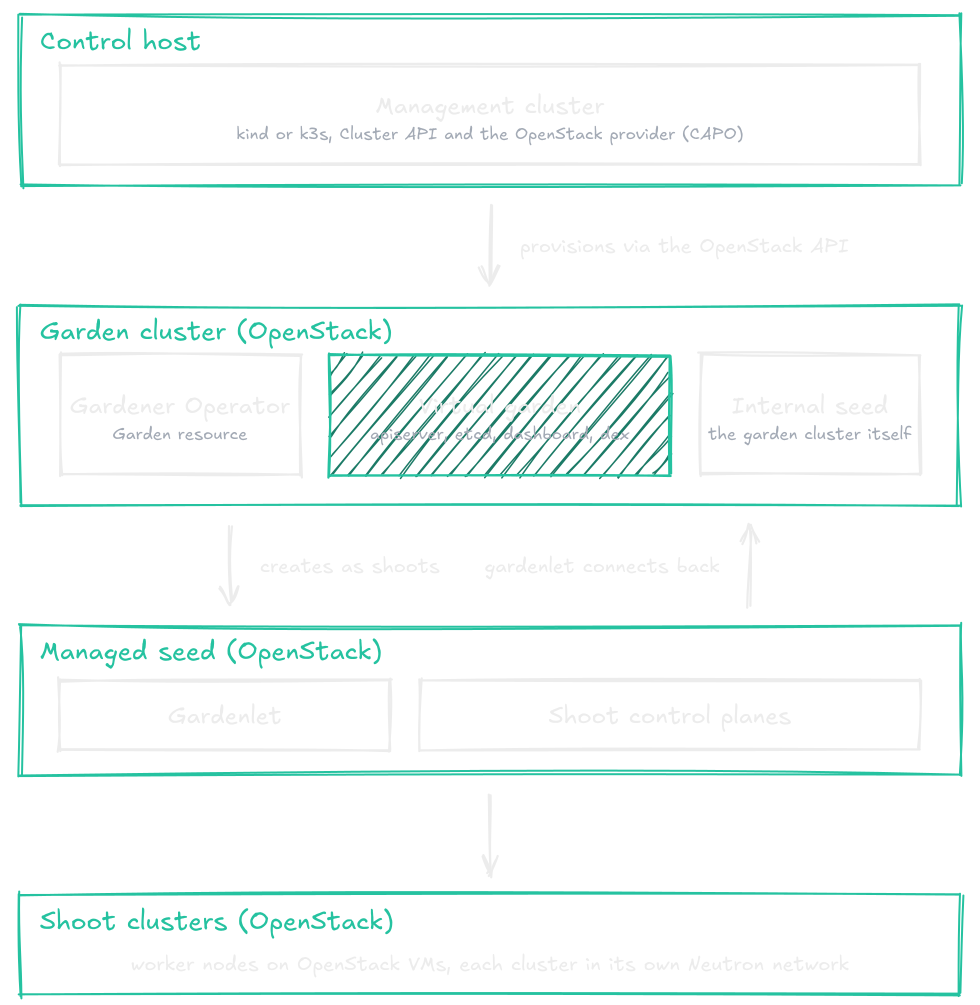
The Gardener Operator is deployed on the garden cluster via Helm. It bootstraps the virtual garden, which is the Gardener control plane running inside the garden cluster. The virtual garden consists of:
- A dedicated etcd for the Gardener API
- The Gardener API server (
gardener-apiserver) - The Gardener controller manager and scheduler
Users and operators interact with Gardener through the virtual garden API. The kubeconfig for it is stored in the gardener secret in the garden namespace and can be extracted as described in Operations.
Internal Seed
The garden cluster itself acts as the internal seed. It is registered automatically by the Gardener Operator and hosts the control planes of shoot clusters created against it. This seed is protected and is intended for managed seed shoots, not for general workloads.
Managed Seeds
Managed seeds are additional Kubernetes clusters on OpenStack that are created as Gardener shoot clusters and then registered as Gardener seeds. They expand the platform's capacity and can be distributed across different OpenStack regions or tenants. Each managed seed has its own set of OpenStack resources and a dedicated Gardenlet that connects back to the virtual garden.
Managed seeds are configured in gardener_operator_managed_seeds. See configuration.md for details.
Shoot Clusters
Shoot clusters are the actual workload Kubernetes clusters managed by Gardener. Their control planes run on seeds; their worker nodes run on OpenStack. Gardener handles the full lifecycle: creation, updates, Kubernetes version upgrades, worker pool scaling, and deletion.
Shoots are created through the Gardener API (virtual garden kubeconfig) and are not directly managed by yake-ansible.
Networking
Each layer has its own network boundary:
- The management cluster runs entirely on the control host using a container or local Kubernetes network.
- The garden cluster gets a dedicated Neutron network and subnet allocated by CAPO. The CIDR is configured via
clusterapi_cluster_openstack_managed_subnetsor by referencing an existing subnet viaclusterapi_cluster_openstack_subnets. - Each managed seed shoot gets its own network within the workers CIDR defined in its InfrastructureConfig. The CIDR can be set explicitly (
workers_cidr) or allocated from an OpenStack subnet pool (subnet_pool). - Shoot clusters get their own networks provisioned by the OpenStack infrastructure extension based on the cloud profile and InfrastructureConfig.
For a complete reference of all IP ranges, exposed ports, DNS zones, load balancers, and security group rules see networking.md.
Tool Install Methods
All tools (kubectl, helm, clusterctl, kind) support two install methods controlled by yake_install_method:
| Method | Description |
|---|---|
docker (default) | Tools run as Docker containers. The wrappers run each command in a persistent tool container (docker exec). No binaries are extracted to the host. |
binary | Tools are downloaded as static binaries and stored in .local/. |
The wrapper scripts in .local/ abstract this difference, so the rest of the playbooks and the user experience remain identical regardless of method.